For agencies, freelancers and product teams
Plan your app before development starts.
Throughplan is an AI-assisted tool for planning apps. Describe your idea to create a clickable prototype, a technical specification and an effort estimate.
How the canvas builds your app
- 13 built-in agents
- Clickable prototype
- Frontend · backend · database spec
- Effort estimate with its drivers
- Comments on the screen they are about
- Share by link, no client account
- Approve and compare versions
- Your own AI subscription
From the first call to an agreed scope.
Five steps, one project. Each one is where a gap that would have cost you in development shows up early instead.
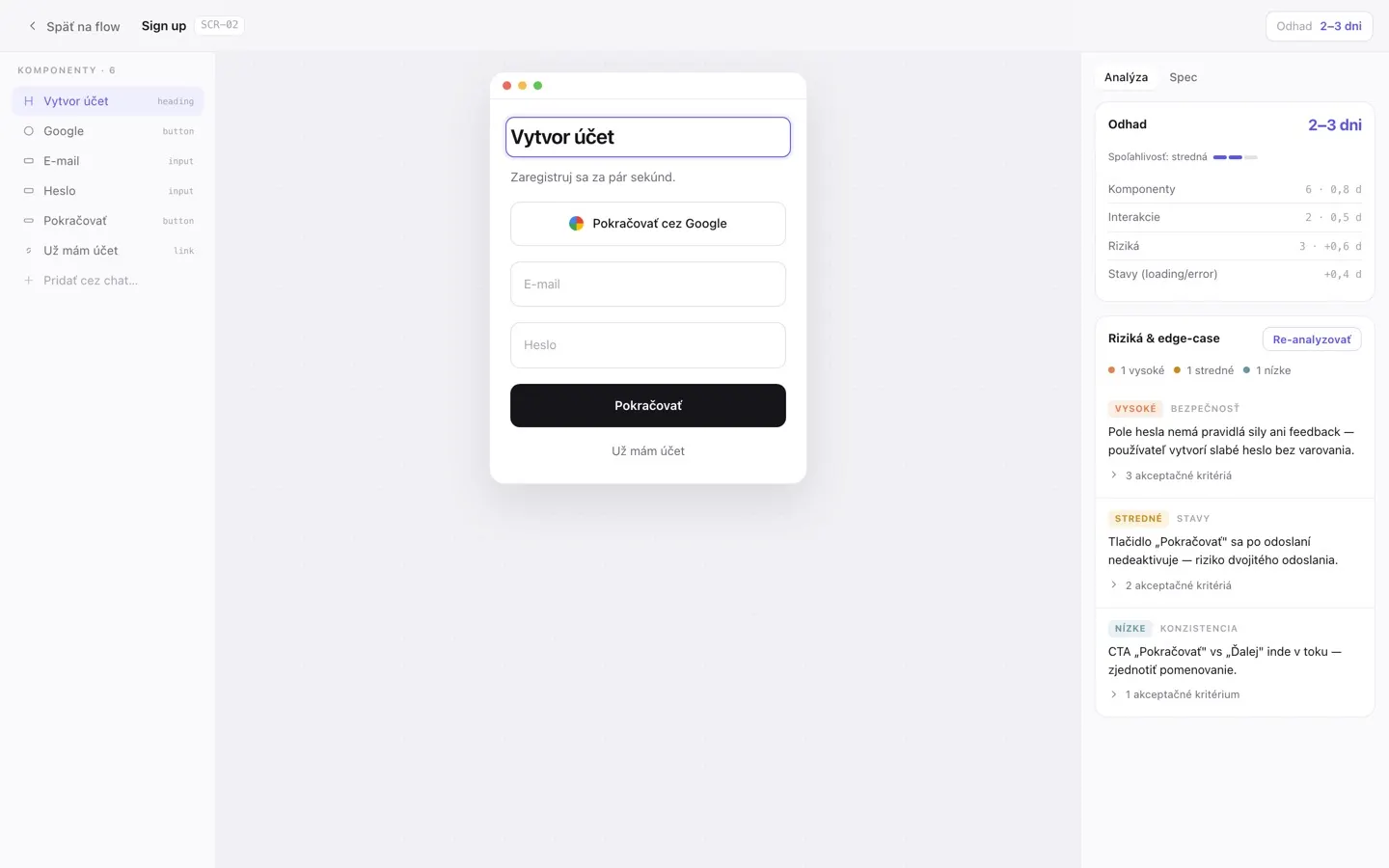
Screens appear as you describe them.
Tell the assistant who will use the app and what they need to do. It draws the screens and connects them — and asks instead of guessing.
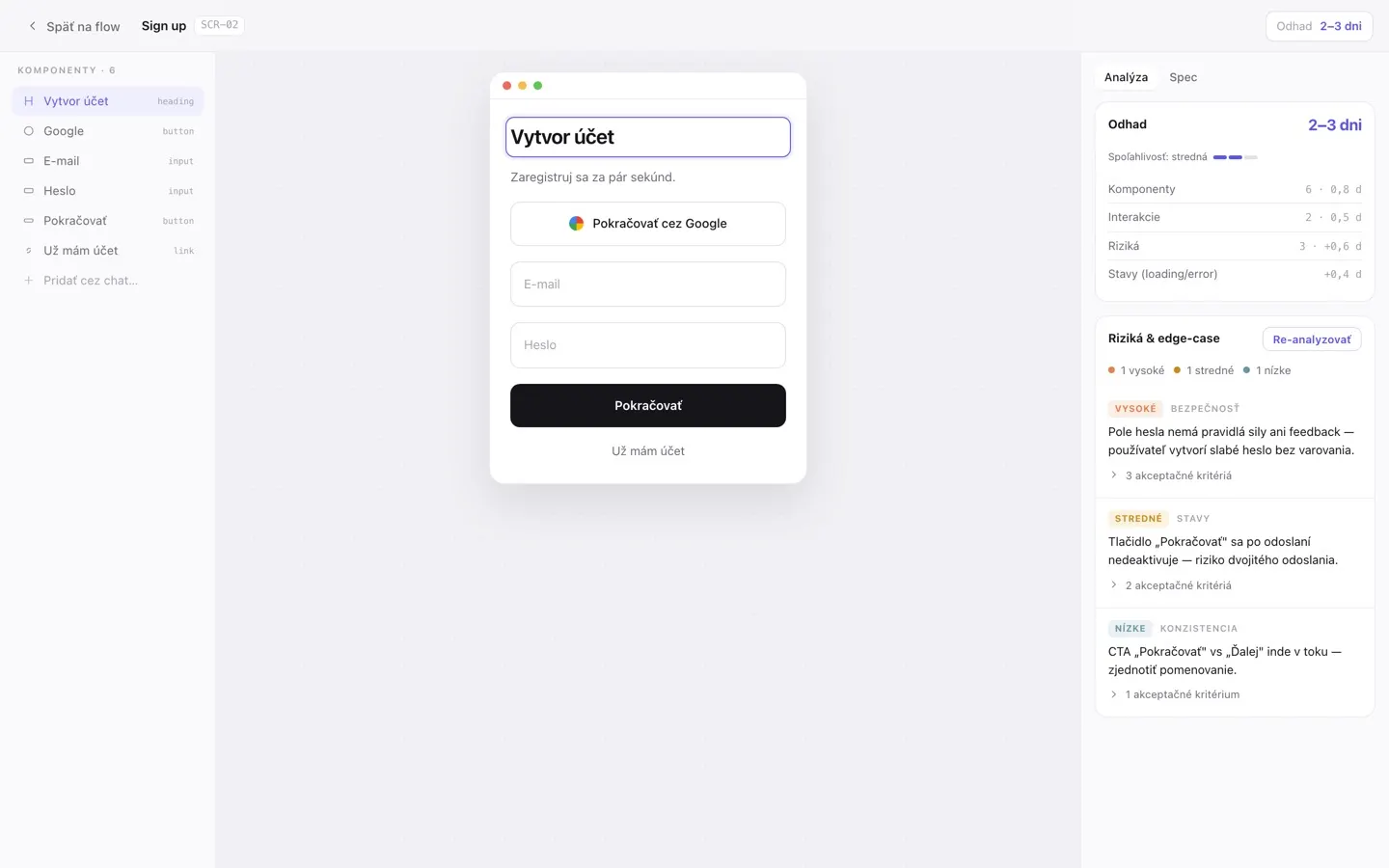
Your client clicks through it.
Send a link. Your client types into the forms, follows the navigation and comments on the screen they are looking at — without an account.
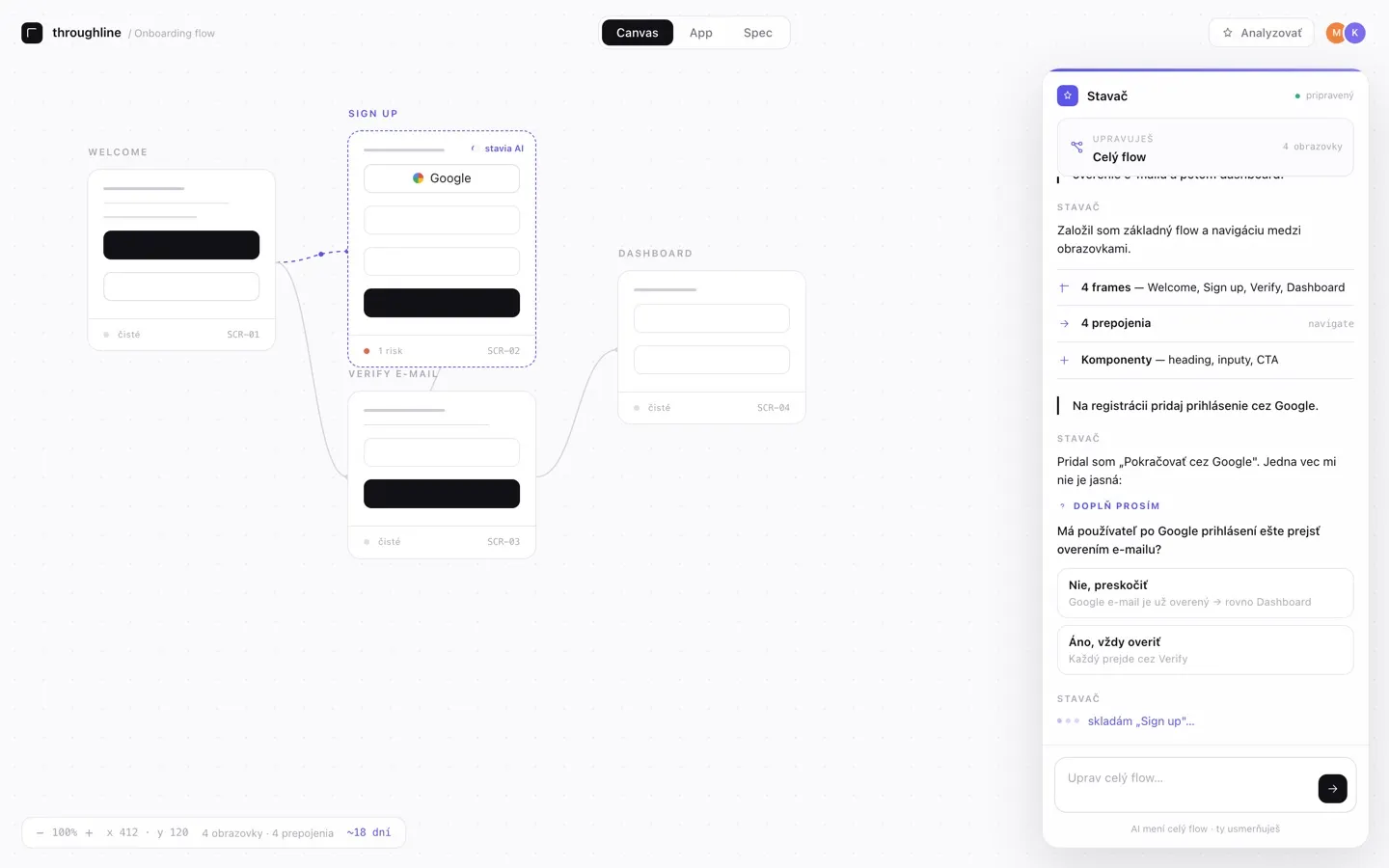
Missing states surface before the quote.
Agents review every screen for dead ends, unreachable screens, missing error messages and empty states. Nothing is added until you accept it.
A spec and an estimate you can defend.
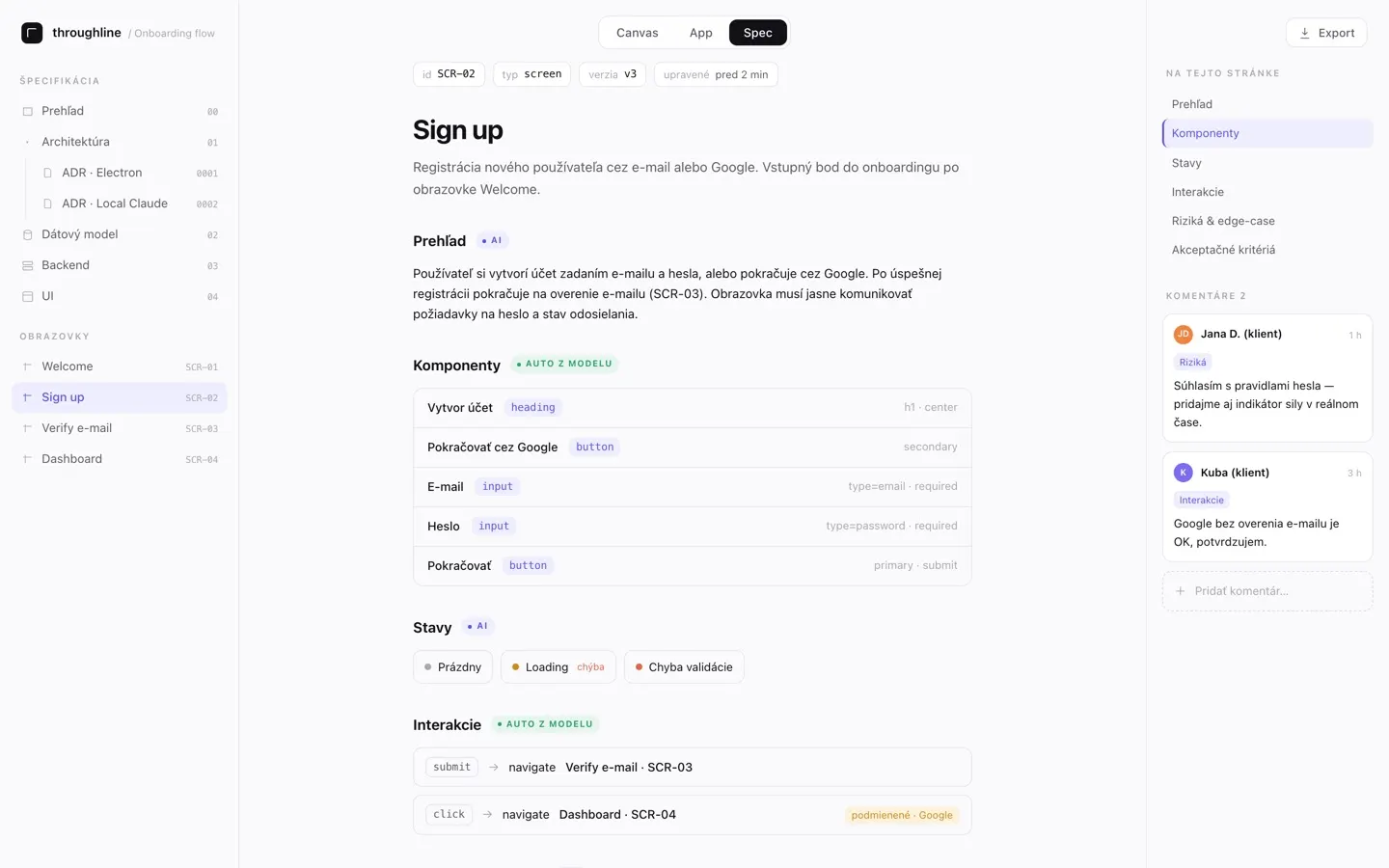
Frontend, backend and database, written from the same screens. The estimate is built from the specification and shows what drives it.
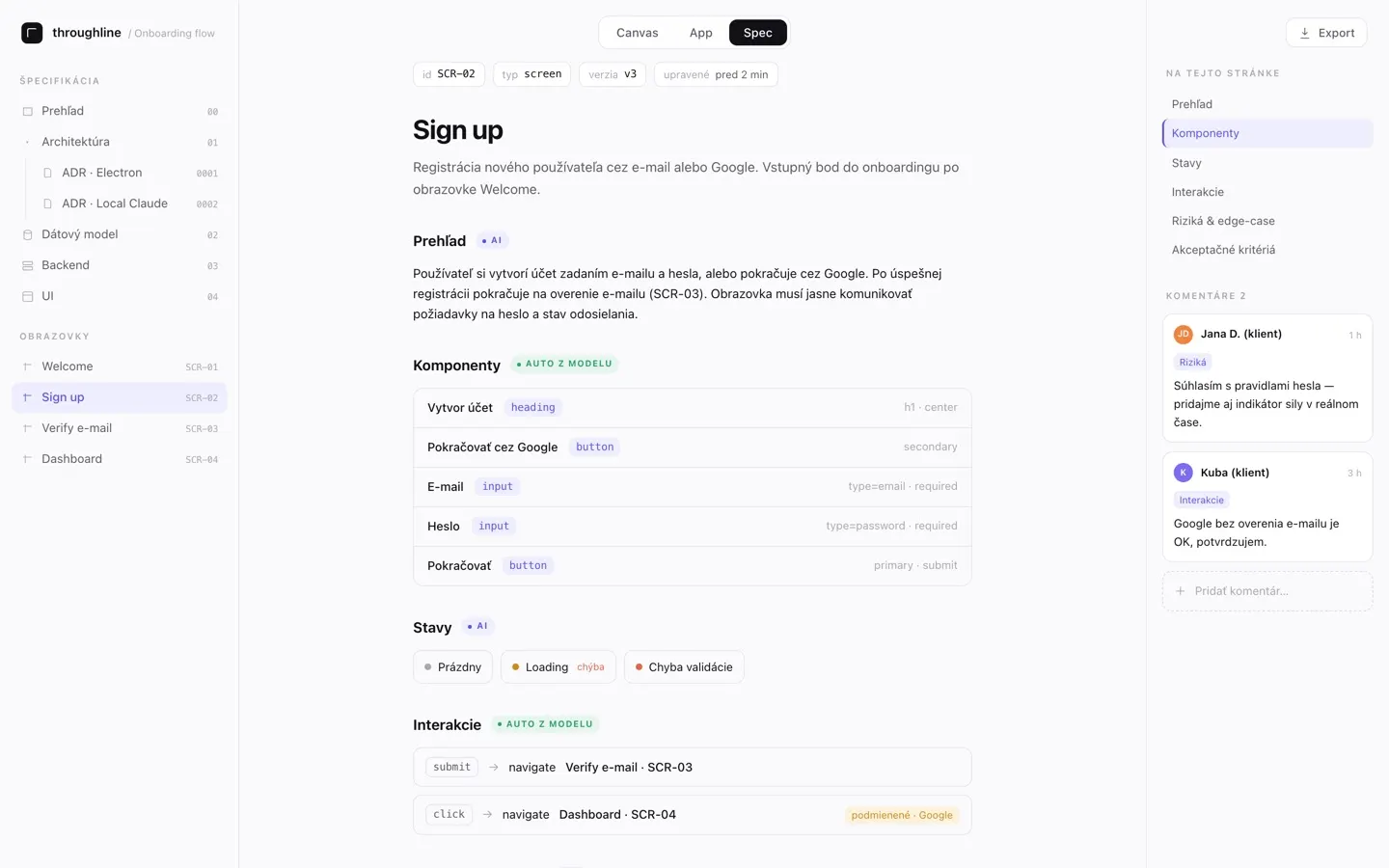
16–20 days
Example estimate · you set the price
Every change, compared with what was approved.
Approve the specification, then see exactly what changed and how it moves the estimate — so extra work is agreed before anyone builds it. On Pro and higher plans.
What you get
A clear plan for your app
A clickable prototype
Try the screens, forms and navigation before development starts.
Share with a linkA technical specification
Give developers a description of the interface, server behaviour and database.
Frontend · backend · databaseA technical proposal and risk review
Review suggested technologies and find requirements that need clarification.
Technical decisions · open questionsAn effort estimate
See the estimated work in days, with a breakdown of what affects it.
A basis for your quote
Project analysis
Find gaps before development
Agents are tools that review your project. Choose a check, run it and review its findings.
- A-01
Risks
Finds missing error messages, empty states and dead ends.
Your AI - A-02
Navigation
Checks for unreachable screens and broken links.
No AI needed - A-03
Requirements
Reviews the screens and suggests improvements for you to approve.
Your AI - A-04
Technical design
Suggests technologies, data structures and API endpoints.
Your AI - A-05
Specialist checks
Reviews edge cases, compliance risks and possible misuse.
Your AI - A-06
Custom agents
Define your own checks on Pro and higher plans.
Your AI
All 13 built-in agents are included in every plan. AI checks use your own AI subscription in the desktop app.
The real app
Screens from the app, with an example project.
Captured from the current app. New workspaces start with this example project, so you can explore it before you describe your own.
Now showing: Canvas
Who Throughplan is for
For people planning software
Walk the client through the proposed app before you prepare a quote.
How agencies use Throughplan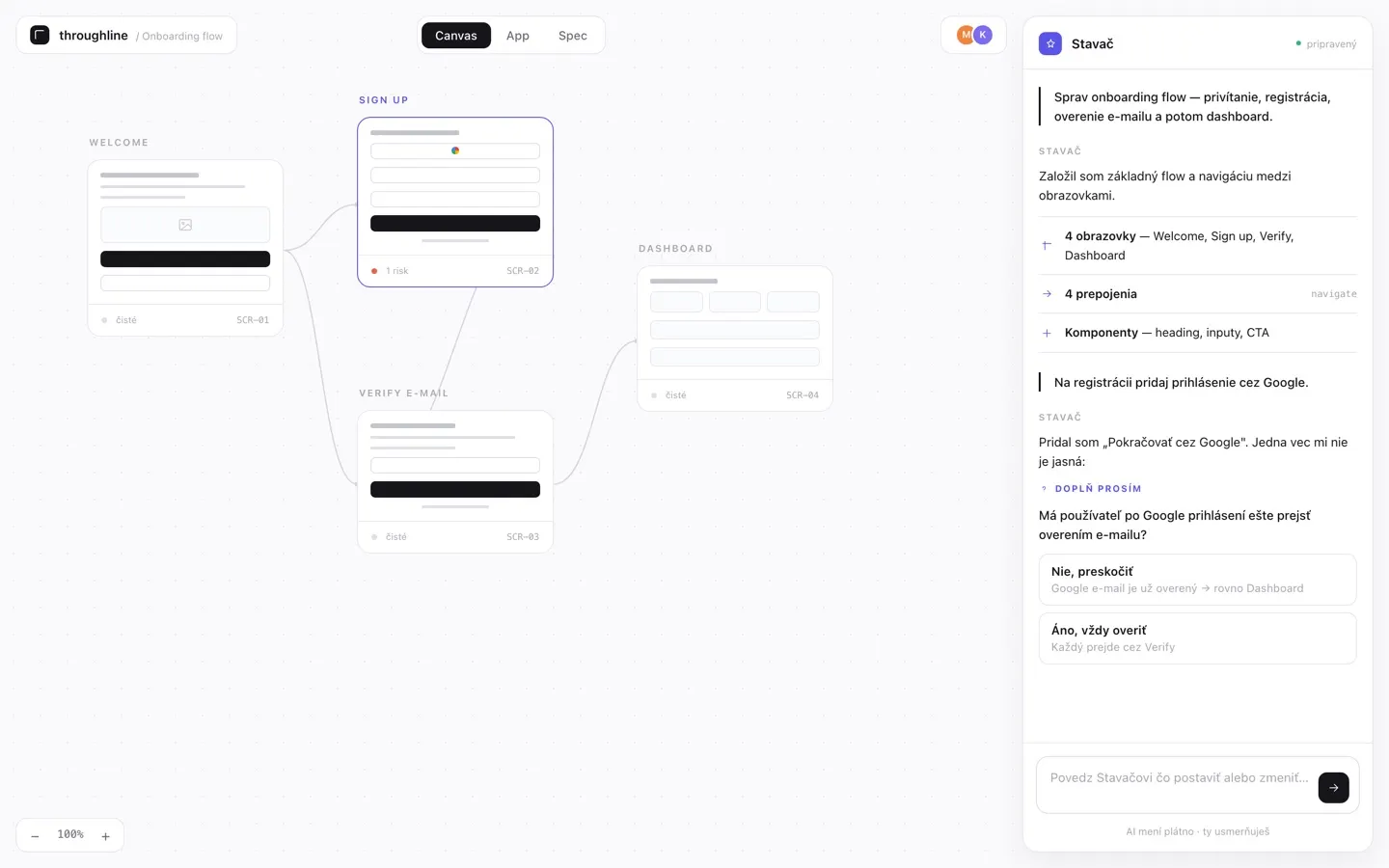
- Agencies and studios
Agree on the scope
A clearer agreement
- Freelancers
Prepare your next project
Keep the screens, specification and estimate together as you refine the idea.
- Product teams
Make requirements clear
Give designers and developers the same view of what the app needs to do.
Pricing
Start with two free projects
Pro
€9.99 per month
Unlimited projects, specification approval and three client accounts.
Team
For teams€15.99 per month
plus a fee per additional member
Work with your team, with unlimited client accounts and version history.
Prices include VAT. Your AI subscription is separate.
Guides
Plan the work before you quote it.
How to scope an app project with a client
A practical process for agencies: turn a client’s app idea into an agreed scope — users, flows, gaps, a specification and an estimate — before the quote is signed.
What a software specification should contain: a checklist for agencies
A checklist of what a specification for a client app should cover — screens, behaviour, data, server operations, quality requirements and open questions — so developers can build without guessing.
How to estimate an app project for a client
How to build an app development estimate your client can follow: estimate from the specification, show what drives the number, state the assumptions and set the price separately.
Questions and answers
Before you get started
Does Throughplan build the finished app?
Throughplan creates a prototype and the documents needed to plan development. Your designer creates the final visuals, and your developers build the app.
Do I work in the browser or on my computer?
You create screens and run AI features in the desktop app. The web app is for managing projects, reviewing results and collecting client feedback.
How is it different from asking an AI chat for a specification?
The specification is linked to screens you can click through. You can also collect comments, run analyses and compare versions in the same project.
Do I need my own AI subscription?
Yes. AI features run through the desktop app using your own AI subscription, paid separately. Throughplan does not charge a fee for each run.
Does my client need an account?
A share link is enough to view a project and, if you allow it, leave comments. Client accounts with access to several projects are available from Pro and do not use team seats.
What happens if I cancel my paid plan?
Your workspace moves to Free at the end of the paid period. Existing projects are kept, but Free plan limits apply. You can export your specification and other project documents.
Plan your next app with Throughplan
Access to Throughplan is currently by invitation.
Leave your email and we will contact you when a place is available.